In short
- An attribution window is the number of days a tool keeps giving an ad credit for a sale after someone taps it or sees it.
- GA4, Google Ads, Meta, TikTok, Pinterest, Klaviyo and Shopify each keep their own window, so one order can be counted by one tool and missed by another.
- A longer window hands more orders to a channel and makes each customer look cheaper. Compare channels only on the same window.
- Holiday shoppers often look early and buy late, so short windows miss part of what your October and early November ads did.
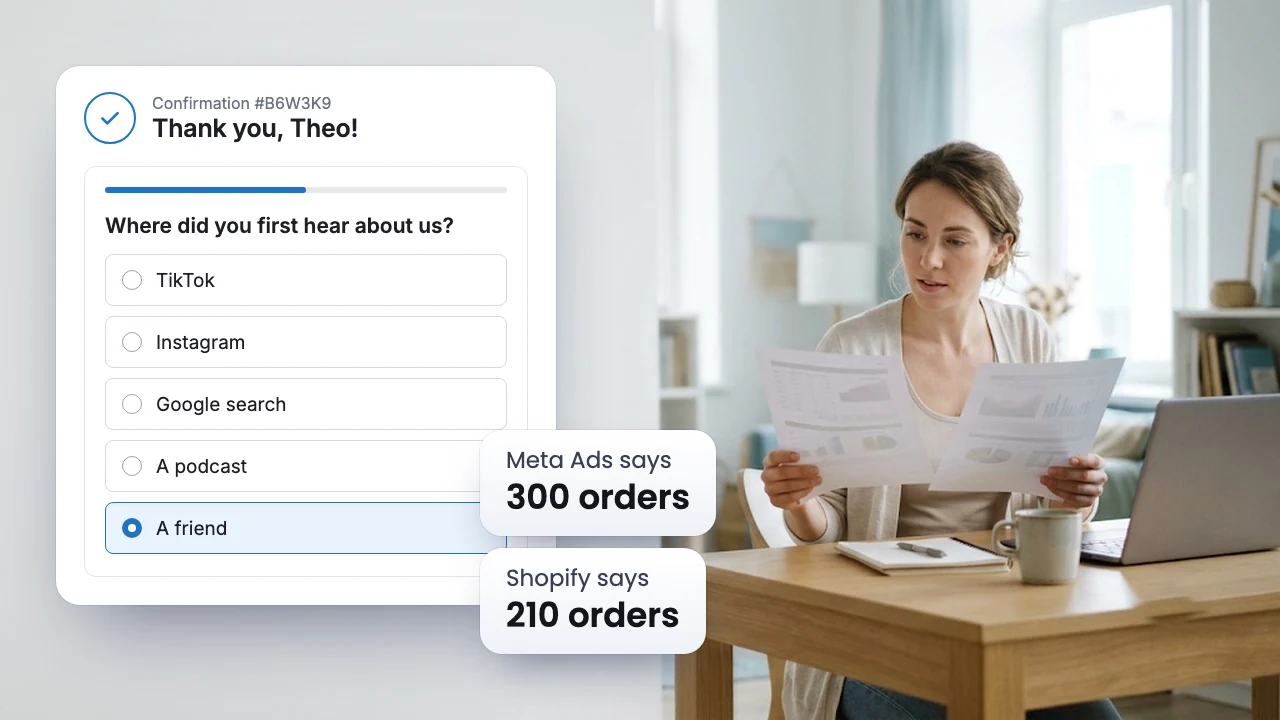
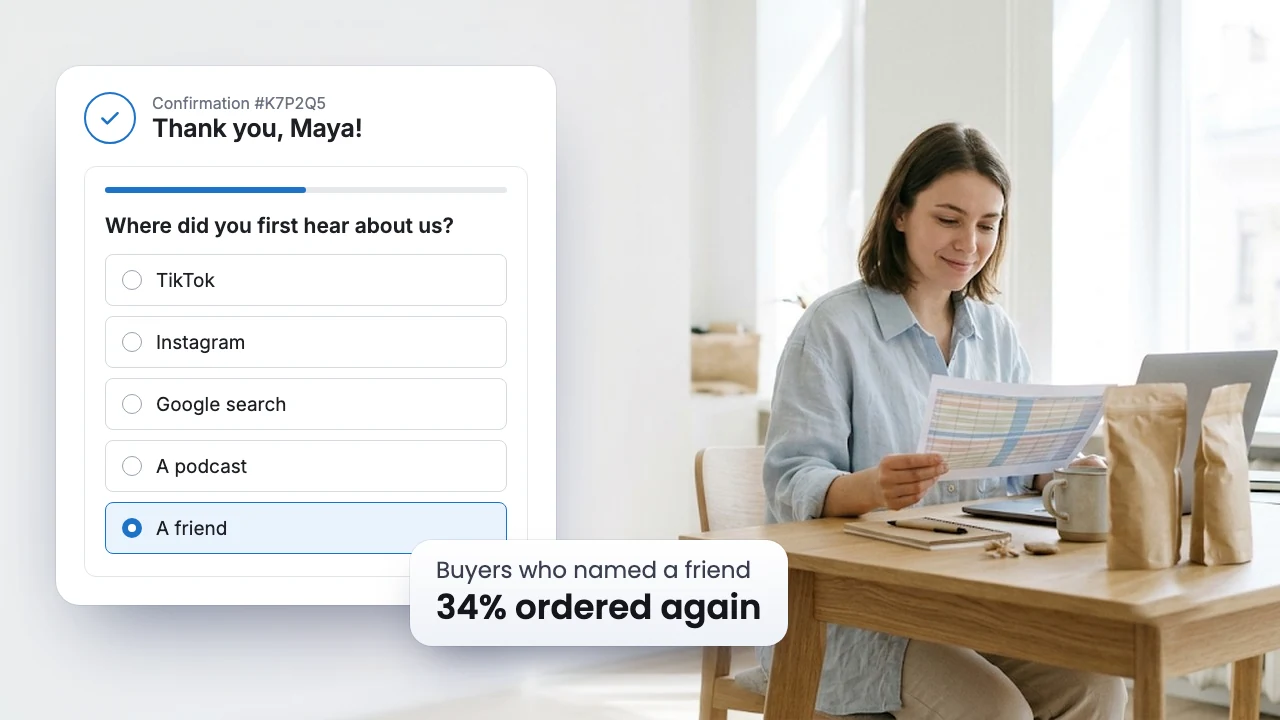
- A post purchase survey app has no window. The buyer names what brought them, even if it was six weeks ago.
What an attribution window is
In marketing attribution, every report that gives a channel credit for a sale has to decide how far back to look. That cutoff is the attribution window, also called the lookback window. A touchpoint inside it can get credit. A touchpoint outside it is forgotten, even if it started the whole purchase.
Most tools keep separate windows for different kinds of contact:
- Click: The shopper tapped the ad or link and landed on your store.
- View: The shopper saw the ad in their feed and did not tap it.
- Engagement: The shopper liked, saved or shared the ad, or watched a few seconds of the video, without visiting your store.
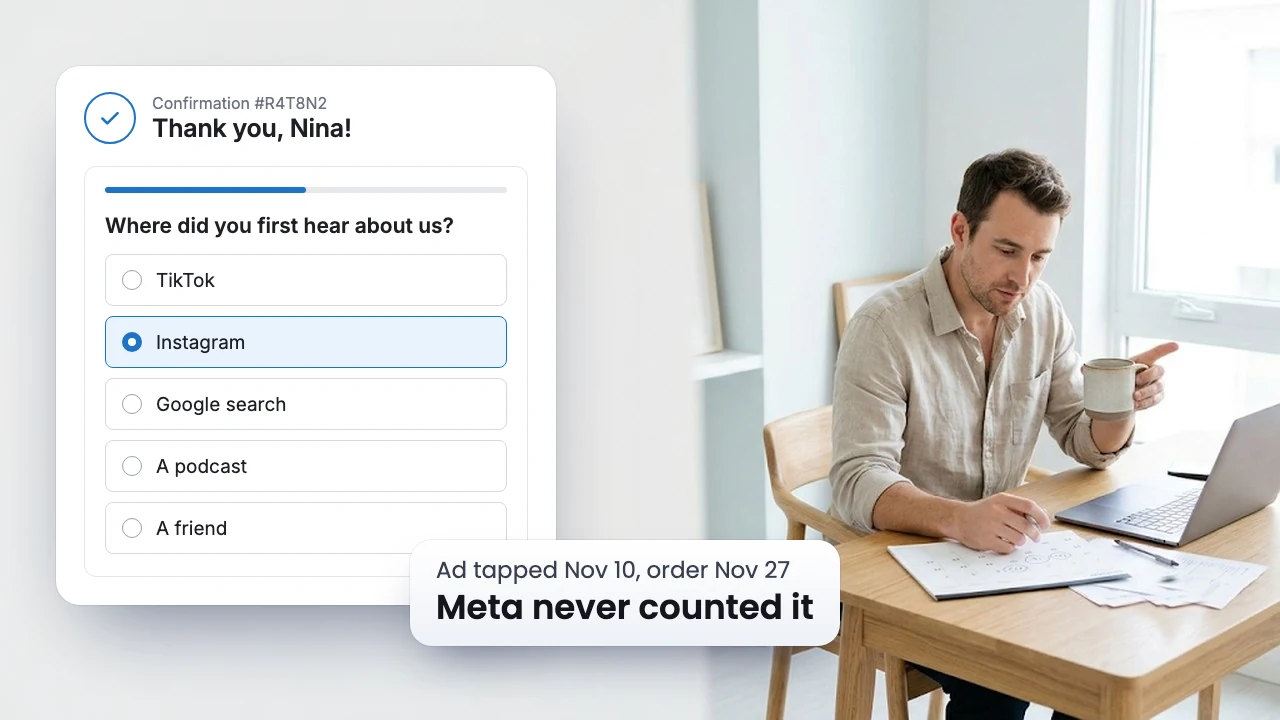
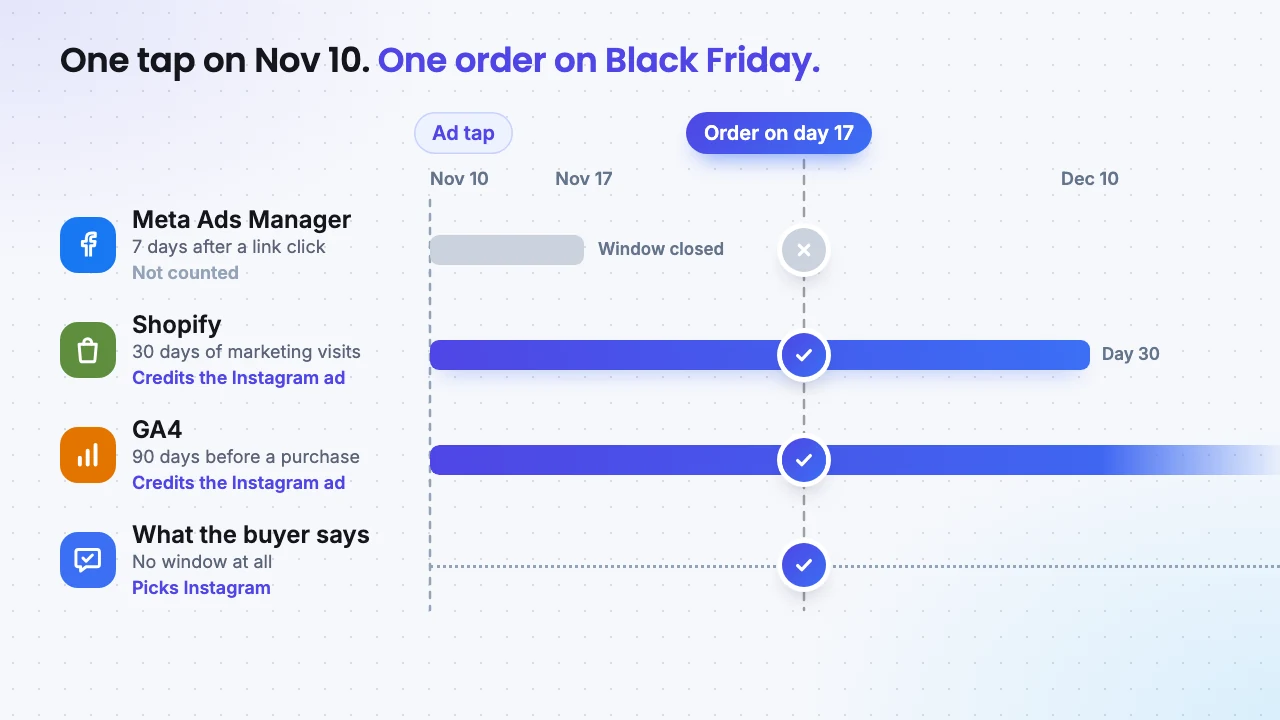
Here is how that plays out. A shopper taps your Instagram ad on November 10, looks around and leaves. On Black Friday, November 27, they type your store address and buy. That is 17 days after the tap.
- Meta Ads Manager counts a sale for up to 7 days after a link click, so this order never shows up there.
- Shopify skips direct visits by default and looks at marketing visits from up to 30 days before the order, so it gives the sale to the Instagram ad.
- GA4 looks back 90 days before a purchase and also skips direct visits, so it credits Instagram too.
Same ad, same order, and the ad platform that ran it is the one report that misses it.
Every tool keeps its own clock
These are the default windows for new accounts and new campaigns, checked on each platform's help pages in November 2026. Older accounts can keep older settings, so check yours.
| Tool | Default window | It also counts | What you can change |
|---|---|---|---|
| GA4 | 90 days before a purchase or other key event, 30 days before a first visit | Visits from every channel, paid or not | Purchases: 30 or 60 days. First visits: 7 days |
| Google Ads | 30 days after a click | 3 days after an engaged video view, 1 day after a view | Clicks: 1 to 90 days. Views: 1 to 30 days |
| Meta Ads | 7 days after a link click | 1 day after a view, 1 day after a like, share, save, comment or 5 second video view | Clicks: 1 or 7 days |
| TikTok Ads | 7 days after a click | 1 day after a view, and a separate window after a 6 second video view | Clicks: 1, 7, 14 or 28 days, set before the ad group goes live |
| Pinterest Ads | 30 days after a click | 30 days after a save or closeup, 1 day after a view | Each window: 0 to 60 days |
| Klaviyo | 5 days after an email or SMS click | 5 days after an email open, including automatic Apple Mail opens | Settings, then Attribution |
| Shopify | Marketing visits up to 30 days before the order | Clicks and visits only | The model, not the window |
Two things stand out. Meta and TikTok stop counting clicks after a week, while Google Ads, Pinterest and GA4 keep counting for a month or more. And Klaviyo treats an email open, which costs the shopper nothing, as a reason for the sale for five days.
A longer window makes every channel look cheaper
The window does not change how many people buy from you. It changes how many of those orders a report hands to a channel, and so what each new customer seems to cost.
Take a store that puts $3,000 into Meta ads in one month (made up numbers) and reads the same campaign three ways. Counted for 1 day after a link click, Meta reports 50 orders, or $60 each. Counted for 7 days after a link click, it reports 80 orders, or $37.50 each. Add 1 day after a view, and it reports 115 orders, or $26 each.
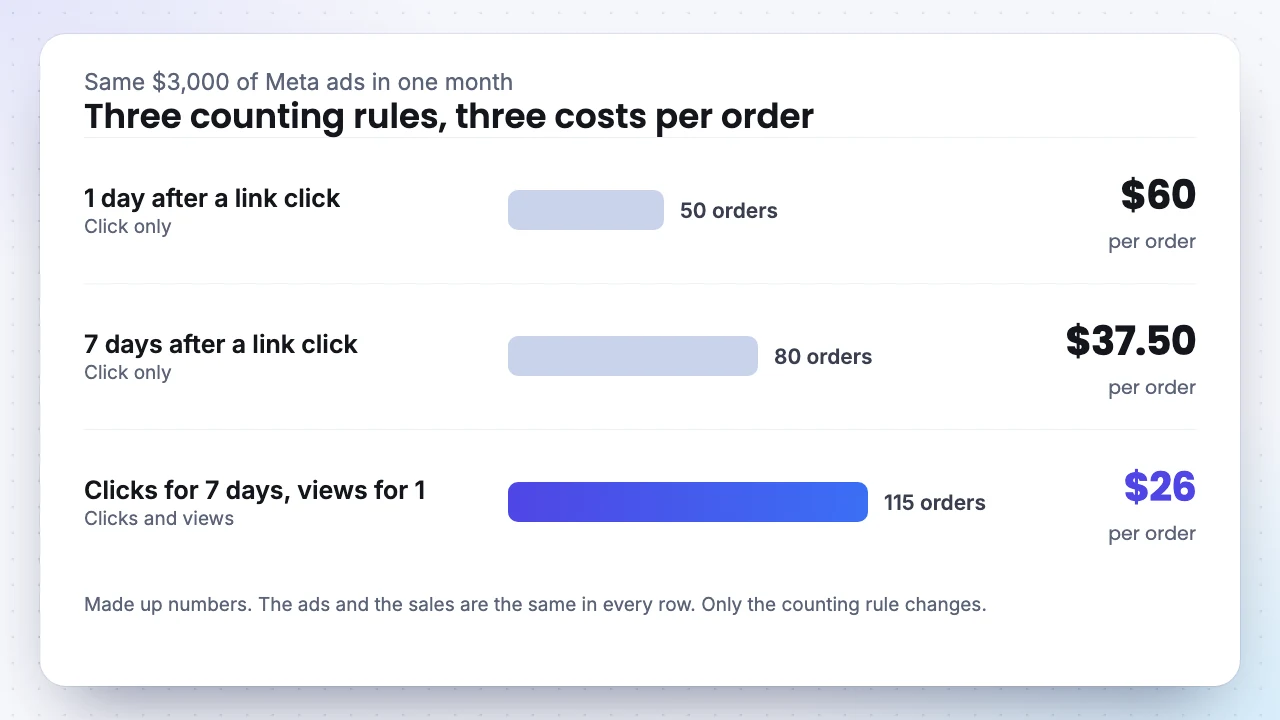
If you judge Meta on its widest setting and Google Ads on a 30 day click window, you are comparing two counting rules, not two channels. Before you shift budget from one to the other, put them on the same rule: the same number of days after a click, with views either in or out for both.
Shopify and GA4 already apply one rule to every channel. That makes them a fairer place to compare channels than each ad account on its own.
GA4 has two clocks
GA4 keeps one window for how a person first arrived and another for everything they do after that.
- First visits and first app opens: 30 days by default, or 7. This window feeds First user source, the report of where new people come from.
- Purchases and every other key event: 90 days by default, or 30 or 60.
Two rules about changing them catch people out. A new lookback window applies only from the day you change it, so a report that spans that day mixes two rules. A new attribution model works the other way: GA4 recalculates past data with it, so last month's numbers can move after you switch.
If you change either one, add an annotation in GA4 on that date, so nobody on your team reads the jump as a real change in sales.
Views and likes count too
A view window gives an ad credit for a sale when the shopper saw it and never tapped. Meta, TikTok, Pinterest and Google Ads all count views for one day by default. Video ads also count an engaged view: 5 seconds of a Meta video, 6 seconds on TikTok.
Views matter most in retargeting. Shoppers who already left a product in their cart see your ads all day. When they come back and buy, a 1 day view window gives the ad credit for a sale that was likely to happen anyway.
Meta changed its rules in March 2026, rolling out account by account. A click now means a link click only. Sales after a like, share, save or comment moved into a separate group called engage through, which also took over the old engaged view. If you read only Meta's click results, this BFCM may look weaker than the last one with no change in what you sold. Add the engage through results before you compare the two years.
Email claims sales too
Klaviyo gives an email or SMS credit for a sale made within 5 days of a click, and an email credit within 5 days of an open. Apple Mail opens many emails on its own to protect privacy, and Klaviyo counts those opens unless you exclude them.
During BFCM most of your list gets several emails a week. So a shopper who taps a TikTok ad and buys has probably opened one of your emails in the last 5 days, and both TikTok and Klaviyo claim the order. Neither report is wrong. Their windows overlap.
To keep email results honest, decide in Klaviyo's attribution settings whether automatic Apple Mail opens count, and make that call before the sale. Klaviyo recalculates past results after a change, so switching in the middle of the sale rewrites the numbers you were comparing against.
In a shopping app, the window decides who counts as new
If you also sell through a mobile app, a mobile measurement partner (MMP) such as AppsFlyer or Adjust decides which ad gets each install. Its windows work the same way, plus one more. AppsFlyer's defaults:
- Click window: 7 days after an ad tap, adjustable from 1 hour to 30 days.
- View window: 24 hours after an ad view, adjustable from 1 to 24 hours.
- Reattribution window: 90 days from the first install, adjustable up to 24 months. Someone who deletes your app and installs it again inside that window is not a new install, unless a retargeting campaign brought them back.
The reattribution window matters most around big sales. Plenty of shoppers install a store app for a sale, delete it, and install it again for the next one. With a short reattribution window they count as new users every time, and your cost per new user looks better than it is.
On iPhone, people who decline tracking are measured through Apple's SKAdNetwork and its successor, AdAttributionKit. Results arrive in three windows: days 0 to 2, days 3 to 7 and days 8 to 35 after the install. The first report comes a day or two after its window closes, and the later ones can take up to six days. You see totals by campaign, not by person, and only the in app actions your team chose to report in a small code Apple calls the conversion value.
Black Friday buyers look early and buy late
The National Retail Federation's 2026 holiday survey of more than 8,000 US adults found two habits that pull in opposite directions.
Put those together and many BFCM buyers meet you in October or early November and order weeks later. That gap is wider than a 7 day click window, and it changes how the sale reads:
- Early ads will look weak on Meta and TikTok. A shopper who first sees your ad on November 3 and buys on November 27 is outside both windows. Judge October and early November campaigns on GA4 First user source, Shopify's first click model and what buyers tell you, not only on 7 day results.
- Last minute ads will look strong. Retargeting and brand search sit right before the order, inside every window. They close sales. They rarely start them.
- Leave the settings alone until January. GA4 lookback changes only apply going forward, TikTok locks its window once an ad group is live, and Klaviyo rewrites past results. Set everything now.
Shopify can tell you how long your own buyers take. In the admin, go to Growth, then Attribution, and switch to the Path to purchase view. It shows the median number of marketing touchpoints before an order and the median time from the first touchpoint to the purchase. If that median is 7 days or more, about half of your orders had their first marketing touchpoint more than a week before the purchase, outside a 7 day click window.
A post purchase survey app has no window
Every window above is a guess about how long an ad stays in someone's mind. The buyer knows. Ask them on the Thank you page with a post purchase survey app, and the response covers the podcast they heard in September as well as yesterday's ad. It also covers what never left a click: a friend's tip, a creator video with no link, an answer from ChatGPT.
Add a second question, and you also learn how long your buyers take:
If many buyers pick one to three months, your 7 day results show only the end of their path. The channel they name in the first question is the one that started it.
SEA Survey is a post purchase survey app for Shopify. It adds these questions to the Thank you page and saves each response on its order, next to its revenue. On the Growth plan, the Marketing attribution dashboard shows revenue, LTV and repeat rate by the channel buyers named, so you can see which channels start sales that a short window hands to someone else. Read how to ask the first question well, and why Meta, Google and Shopify never show the same orders.

SEA Survey
Listed as SEA Post Purchase Survey Quiz, 4.9 stars from 188 reviews, with the Built for Shopify badge.
30% off any paid plan for 3 monthsStarter $13.30 instead of $19, Growth $34.30 instead of $49
BFCMSEA30Last day: Dec 7
- Why now: Responses build up one order at a time. Start before Nov 27, and your Black Friday buyers, the ones who looked in October and bought late, are already in the data when you plan January.
- On the Free plan: 30 responses a month, with attribution, NPS and CSAT surveys.
- What a paid plan adds: Starter counts 500 responses a month. Growth has unlimited responses and the Marketing attribution dashboard, with revenue and LTV by the channel buyers named, plus A/B testing and conditional logic.
- How to claim: Install SEA Survey from the Shopify App Store, open Plans, paste the code and pick Starter or Growth. Both start with a 7 day free trial.
What to set before Black Friday
- Write down the window each tool uses today in one shared sheet. The table above is your checklist.
- Pick one rule for comparing ad accounts during the sale, such as 7 days after a click with views shown on their own, and read every platform on it.
- In Meta, add the engage through results next to the click results, so this year and last year are compared on the same terms.
- In Klaviyo, decide about automatic Apple Mail opens now, not in the middle of the sale.
- Check Shopify's Path to purchase view for your median time to purchase.
- Install a post purchase survey app and add "Where did you first hear about us?" and "When did you first hear about us?" to the Thank you page, so responses build up before the busiest week. SEA Survey has a Free plan, and code
BFCMSEA30takes 30% off any paid plan for 3 months, until Dec 7. - Keep every setting as it is until January.
FAQ
What attribution window should a Shopify store use?
Use one that matches how long your buyers take. Check the median time to purchase in Shopify's Path to purchase view, or ask buyers when they first heard of you. To compare ad platforms with each other, 7 days after a click is a common rule that Meta, TikTok and Google Ads all support.
Does a longer window mean more sales?
No. It changes which orders a report gives to a channel. Your order count in Shopify stays the same.
Why do my Meta click results look lower this year?
Since March 2026, Meta counts only link clicks as clicks. Sales after a like, share, save or comment now sit in the engage through results. Add them, and compare with last year on the same results.
Do I need a survey app if I already have GA4 and Shopify?
They answer different questions. GA4 and Shopify see clicks and visits inside their windows. A post purchase survey app asks the buyer, so it also catches the podcast, the friend and the creator video that left no click, however long ago they happened. Read the responses next to your reports, not instead of them.