All four as files: each prompt, plus how to connect Claude.
Automated Workflows
From a sentence to the right action.
Klaviyo, Mailchimp, Omnisend
Thank you page surveyAnything else we can help with?“I really love the camera. Any accessories that go well with it?”Emma, returning customer
AI adds to segmentAccessories
Email marketing
Turn a question about accessories into the next order
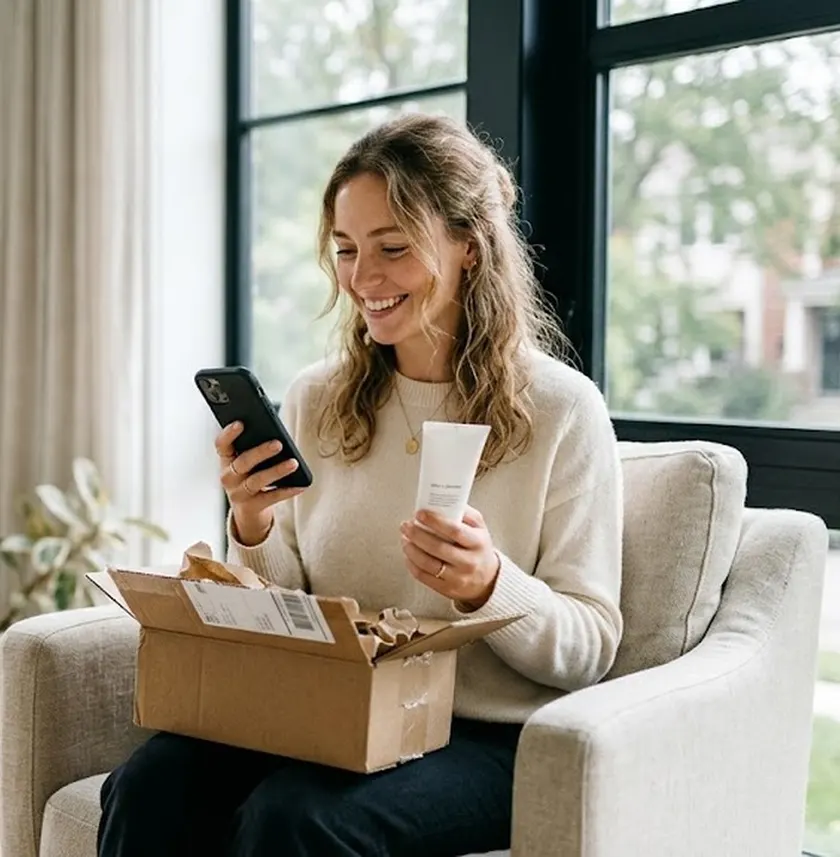
Emma asks which accessories go with the new camera. SEA Survey adds Emma to the Accessories segment in Klaviyo, Mailchimp or Omnisend, and Emma gets an email with 3 picks that fit.
Thank you page surveyWhere did you first hear about us?“Saw it on TikTok. A creator used it in a morning routine video.”Sophie, new customer
AI adds to segmentTikTok buyers
Customer segments
Group every TikTok buyer into one segment, automatically
Sophie found you through a creator’s TikTok video. Shopify Flow adds Sophie to your TikTok buyers segment, so you know how many buyers TikTok brings in before Black Friday.
Thank you page surveyHow did you hear about us?“A podcast ad. The host read out the discount code.”Ryan, new customer
AI adds to segmentPodcast buyers
Channel tracking
Find the channels your pixel misses
Ryan bought after a podcast host read out the discount code. Each answer lands in Google Sheets as a new row with the order value, so a channel you never listed shows up in your report.
Thank you page surveyDid anything almost stop you from buying?“The BFCM code didn’t work at checkout. I almost gave up.”Tom, new customer
AI adds to segmentCheckout problem
Crisis management
Fix a broken BFCM code before more carts drop
Tom almost gave up when the BFCM code failed at checkout. Slack alerts your team the moment the answer comes in, so the code gets fixed before more buyers hit the same wall.
Advanced logic: skip questions, tag customers and orders, alert your team by email or Slack
Attribution LTV analytics
AI analytics with 5,000 AI tokens a month
Klaviyo and other integrations, plus your own API endpoint
A/B testing
Survey discounts and mystery discount rewards
Images in answers and file upload questions
Unlimited languages and customer segments
Premium support
Questions
Before installing.
How much does it cost?
Free covers 30 responses a month. Starter is $19 and Growth is $49 a month, both with a 7 day free trial. Scratch a mystery ticket for 30% off any paid plan for 3 months.
How is this different from ad platform numbers?
It is the channel the buyer names, tied to a real order. It sits next to ad platform numbers and fills the gaps pixels leave.
Where can the survey show up?
The Thank you page, the order status page, an exit intent popup, a widget on your site, or a survey page you can share. One store can run several surveys at once.
Which of the four surveys should I start with?
Find winning channels. It needs a few weeks of orders before the sale, so start it first. Pick the others by goal. There is no fixed order.
Do I need anything to use the prompts?
Shopify Sidekick works once SEA Survey is installed. Claude needs the SEA Survey MCP: in the app open Integrations › MCP, generate the link, then add it in Claude under Settings › Connectors. Each prompt saves a draft and waits for your OK.
Where do I use my ticket code?
Install SEA Survey, open the Plans page and paste the code by Dec 7. The discount covers the first 3 months of any paid plan.
How does the mystery discount work?
A Mystery reward holds 2 to 10 discount codes, each at its own percentage. Every respondent scratches a ticket, gets one code at random, and unlocks it with an email. It needs the Growth plan or higher.
Will emails based on answers annoy customers?
An email goes out only after a customer answers, and its content follows that answer. Frequency and timing stay in the email app.
What happens after a buyer answers?
AI sorts open answers into topics and adds each buyer to a segment. Your rules send the segment to Klaviyo, Mailchimp, Omnisend, Shopify Flow, Zapier, Google Sheets or Slack, and that app takes the next step.
Why does the board say "Compare with spend"?
SEA Survey sees the revenue each channel brings, not what you spend on it. So the board suggests, and you check it against your own ad spend before you move budget.
Does the live demo use my real data?
No. It reads your products and prices from the store link, then AI predicts your buyers and writes sample answers. It is a forecast to plan with. Real numbers come from real buyers after you install.
Black Friday is Nov 27. Start collecting answers now.
Lock the promo date and the stock order with real answers: when shoppers buy, how much they spend, what stops them.
WhereOn-site survey, 8 questions in 2 short surveys
ResearchOn site, 1 to 3 questions keep almost every shopper to the end. 4 to 6 keep 72%. So two short surveys.
What the buyer sees
Holiday Shopping Plans1 OF 4
When do you plan to start buying gifts?
Already started
Early November
Black Friday week
Closer to the holidays
Not sure
How much do you plan to spend per person?
Under $25
$25 to $50
$50 to $100
Over $100
What might stop you from shopping this season?
Multiple choice: Prices, Shipping times, Not sure what to buy, Waiting for deals, Budget
What is your email?
Optional. So the early deal can reach you.
Use case
SeeThe "Already started" group.DoTag them and send the early promo first.
SeeThe order shoppers pick most.DoOrder stock in that order.
SeeMany "Very likely" on pay later in survey 2.DoTurn on buy now, pay later.
SeeA new answer comes in.DoNothing by hand. It lands in your Google Sheet.
Suggestions, not measured yet.
In appAdd customer tagShopify FlowGoogle Sheet
Get the skill
Use the SEA Survey MCP tools.
1. create_survey with the data below (saves as draft).
2. Show me the questions. Wait for my OK.
3. preview_publish_survey, then confirm_publish_survey after my second OK.
Keep every word and option as written.

data = {
  "name": "Holiday Shopping Plans 1",
  "channels": {"dedicatedPageSurvey": {"enabled": false}, "siteWidget": {"enabled": true}},
  "questions": [
    {"type": "single", "heading": "When do you plan to start buying gifts?",
     "answers": [{"content":"Already started"},{"content":"Early November"},{"content":"Black Friday week"},{"content":"Closer to the holidays"},{"content":"Not sure"}],
     "skippable": false},
    {"type": "single", "heading": "How much do you plan to spend per person?",
     "answers": [{"content":"Under $25"},{"content":"$25 to $50"},{"content":"$50 to $100"},{"content":"Over $100"}],
     "skippable": false},
    {"type": "multiple", "heading": "What might stop you from shopping this season?",
     "answers": [{"content":"Prices"},{"content":"Shipping times"},{"content":"Not sure what to buy"},{"content":"Waiting for deals"},{"content":"Budget"}],
     "enabledCustomAnswer": true, "skippable": true},
    {"type": "short_answer", "heading": "What is your email?", "placeholder": "name@example.com", "skippable": true}
  ]
}
Ask me to adjust the price bands first.
Use the SEA Survey MCP tools.
1. create_survey with the data below (saves as draft).
2. Show me the questions. Wait for my OK.
3. preview_publish_survey, then confirm_publish_survey after my second OK.
Keep every word and option as written.

data = {
  "name": "Holiday Shopping Plans 2",
  "channels": {"dedicatedPageSurvey": {"enabled": false}, "siteWidget": {"enabled": true}},
  "questions": [
    {"type": "multiple", "heading": "What matters most when you buy gifts?",
     "answers": [{"content":"Price"},{"content":"Fast delivery"},{"content":"Gift-ready packaging"},{"content":"Trending items"},{"content":"Easy returns"}],
     "enabledCustomAnswer": true, "skippable": false},
    {"type": "multiple", "heading": "Which channels inspire your gift shopping?",
     "answers": [{"content":"TikTok"},{"content":"Instagram"},{"content":"YouTube"},{"content":"Friends and family"},{"content":"Email"},{"content":"Google search"}],
     "enabledCustomAnswer": true, "skippable": false},
    {"type": "single", "heading": "How likely are you to use \"buy now, pay later\"?",
     "answers": [{"content":"Very likely"},{"content":"Maybe"},{"content":"Not likely"}],
     "skippable": false},
    {"type": "short_answer", "heading": "What is your email?", "placeholder": "name@example.com", "skippable": true}
  ]
}
Use the SEA Survey tools. Find my survey "Holiday Shopping Plans 1".
Also read "Holiday Shopping Plans 2". Give the % of each answer. Name the biggest group by start date and spend. Suggest a promo start date and whether to turn on pay-later.
Adjust the price bands to your average order first. Run survey 1 before you paste survey 2.
Use it when
You cannot tell which channel sells. Cookies and UTM miss buyers who come from TikTok, a friend or ChatGPT.
WhereThank you page, after the order
ResearchThe wording "Where did you find us?" cuts the Other answer from 15% to 2%.
What the buyer sees
Order confirmed1 OF 1
Where did you find us?
TikTok
Instagram
Facebook
YouTube
Google search
Friend or family
Podcast
Other
Use case
SeeBuyers name TikTok more often than UTM shows.DoTest a bigger TikTok budget.
SeeMany buyers pick Other.DoAdd the channel you missed to the list.
SeeA new answer comes in.DoNothing by hand. It lands in your Google Sheet.
In appSegment buyers by channelShopify FlowGoogle Sheet
Get the skill
Use the SEA Survey MCP tools.
1. create_survey with the data below (saves as draft).
2. Show me the questions. Wait for my OK.
3. preview_publish_survey, then confirm_publish_survey after my second OK.
Keep every word and option as written.

data = {
  "name": "Where Customers Find Us",
  "channels": {"dedicatedPageSurvey": {"enabled": false}, "postPurchasePage": {"enabled": true}},
  "questions": [{"type": "single", "heading": "Where did you find us?",
    "answers": [{"content":"TikTok"},{"content":"Instagram"},{"content":"Facebook"},{"content":"YouTube"},{"content":"Google search"},{"content":"Friend or family"},{"content":"Podcast"}],
    "enabledCustomAnswer": true, "skippable": false}]
}
Use the SEA Survey tools. Find my survey "Where Customers Find Us".
Give the % of each answer, biggest first. List the top 5 words in "Other". Say which channel is missing from the options.
Deal pages get the most traffic of the year and most visitors leave. Ask the one leaving while the sale still runs.
WhereDeal pages, when the cursor leaves
ResearchThis was the most answered question on exit intent in the surveys we studied.
What the buyer sees
Before you go1 OF 3
What is preventing you from completing your purchase today?
Price is too high
Shipping cost
Just browsing
Comparing other stores
Need more information
Not ready yet
What could we have done better?
Optional. A short answer.
What is your email?
Optional. So the deal reminder can reach you.
Use case
SeePrice is too high.DoOne discount by email, only to that shopper.
SeeShipping cost.DoShow the free shipping threshold on the deal page.
SeeJust browsing or Comparing other stores.DoReview who the ads target.
SeeA new answer comes in.DoA Slack message to CS.
Suggestions, not measured yet.
In appAdvanced logicSend Slack notificationKlaviyo
Get the skill
Use the SEA Survey MCP tools.
1. create_survey with the data below (saves as draft).
2. Show me the questions. Wait for my OK.
3. preview_publish_survey, then confirm_publish_survey after my second OK.
Keep every word and option as written.

data = {
  "name": "Why Visitors Leave",
  "channels": {"dedicatedPageSurvey": {"enabled": false}, "exitIntent": {"enabled": true, "enableEmptyCart": true, "enableHasProducts": true}},
  "questions": [
    {"type": "single", "heading": "What is preventing you from completing your purchase today?",
     "answers": [{"content":"Price is too high"},{"content":"Shipping cost"},{"content":"Just browsing"},{"content":"Comparing other stores"},{"content":"Need more information"},{"content":"Not ready yet"}],
     "enabledCustomAnswer": true, "skippable": false},
    {"type": "short_answer", "heading": "What could we have done better?", "skippable": true},
    {"type": "short_answer", "heading": "What is your email?", "placeholder": "name@example.com", "skippable": true}
  ]
}
Use the SEA Survey tools. Find my survey "Why Visitors Leave".
Give the % of each reason in question 1. Group question 2 into 4 to 6 themes with %. Suggest one fix for the top 2 reasons.
SeeScore 6 or lower.DoAlert yourself and send a sorry email the same day.
SeeScore 9 or 10.DoAsk for a review.
SeeA low score with a comment.DoOpen a support ticket.
In appAdvanced logicSend email to customerRedirect URL
Get the skill
Use the SEA Survey MCP tools.
1. create_survey with the data below (saves as draft).
2. Show me the questions. Wait for my OK.
3. preview_publish_survey, then confirm_publish_survey after my second OK.
Keep every word and option as written.

data = {
  "name": "Post-purchase Experience",
  "channels": {"dedicatedPageSurvey": {"enabled": false}, "postPurchasePage": {"enabled": true}},
  "questions": [
    {"type": "satisfaction", "heading": "How do you feel about your overall experience?", "skippable": false},
    {"type": "number_scale", "heading": "How likely are you to recommend us to a friend?", "skippable": false},
    {"type": "short_answer", "heading": "What could we have done better?", "skippable": true}
  ]
}
Tell me: Advanced logic (alerts) is set by hand after.
Use the SEA Survey tools. Find my survey "Post-purchase Experience".
Give the % of Detractors, Passives, Promoters and unhappy answers in question 1. List question 3 answers from unhappy customers by theme. Say how many need a follow-up this week.
Then in the app, set Advanced logic: a low score sends you a Slack message or an email.
Use it when
Carriers slow down in December. Ask once the box has arrived, not at checkout.
WhereEmail, 7 days after the order
ResearchAsked after delivery, 21% to 50% answer negative. At purchase, under 10%.
What the buyer sees
How was the delivery?1 OF 4
Did your order arrive within the expected timeframe?
Short answer
How would you rate your delivery experience?
Short answer
How was the condition of the package on arrival?
Short answer. Optional.
What is your email?
Optional. So we can follow up on the delivery.
Use case
SeeLater than expected.DoReview the carrier for that region.
SeeDamaged package.DoContact the customer the same day.
SeePraise for the delivery.DoAsk for a review.
In appPost-purchase emailAdvanced logicSend email to customer
Get the skill
---
name: create-survey-in-sea-survey
description: Create the survey below in SEA Survey as a draft.
---
Steps:
1. create_survey with the fields below. Save as draft.
2. Show me the questions. Wait for my OK.
3. preview_publish_survey, then confirm_publish_survey after my second OK.
Rules: keep every heading and answer as written. Change no other setting.
After that, remind me to set Advanced logic myself: if question 3 is submitted, send me a notification email or Slack message.
Also ask me: send the email after 1, 3 or 7 days? Default 7.

start_from: Shipping & delivery experience
channel: Post-purchase email
fields:
{
  "name": "Delivery Experience Check",
  "channels": {"dedicatedPageSurvey": {"enabled": false}, "postPurchaseEmail": {"enabled": true, "emailSetting": {"delaySendMail": "7", "delaySendMailUnit": "days"}}},
  "questions": [
    {
      "type": "short_answer",
      "heading": "Did your order arrive within the expected timeframe?",
      "skippable": false
    },
    {
      "type": "short_answer",
      "heading": "How would you rate your delivery experience?",
      "skippable": false
    },
    {
      "type": "short_answer",
      "heading": "How was the condition of the package on arrival?",
      "skippable": true
    },
    {
      "type": "short_answer",
      "heading": "What is your email?",
      "placeholder": "name@example.com",
      "skippable": true
    }
  ]
}
Use the SEA Survey tools. Find my survey "Delivery Experience Check".
Group the answers to questions 1 to 3 into 4 to 6 themes with %. Say how many left an email. Say how many customers mention late delivery or damage.
 Shopify Flow
 Zapier
 Google Sheets


 Klaviyo, Mailchimp, Omnisend
 Thank you page surveyAnything else we can help with?“I really love the camera. Any accessories that go well with it?”Emma, returning customer


 Slack